Layers or Separate Files? Two Ways to Keep a Design Editable
Layers or separate files? Choose a design workflow that makes revisions clear, keeps alternatives visible and gives collaborators files they can use.
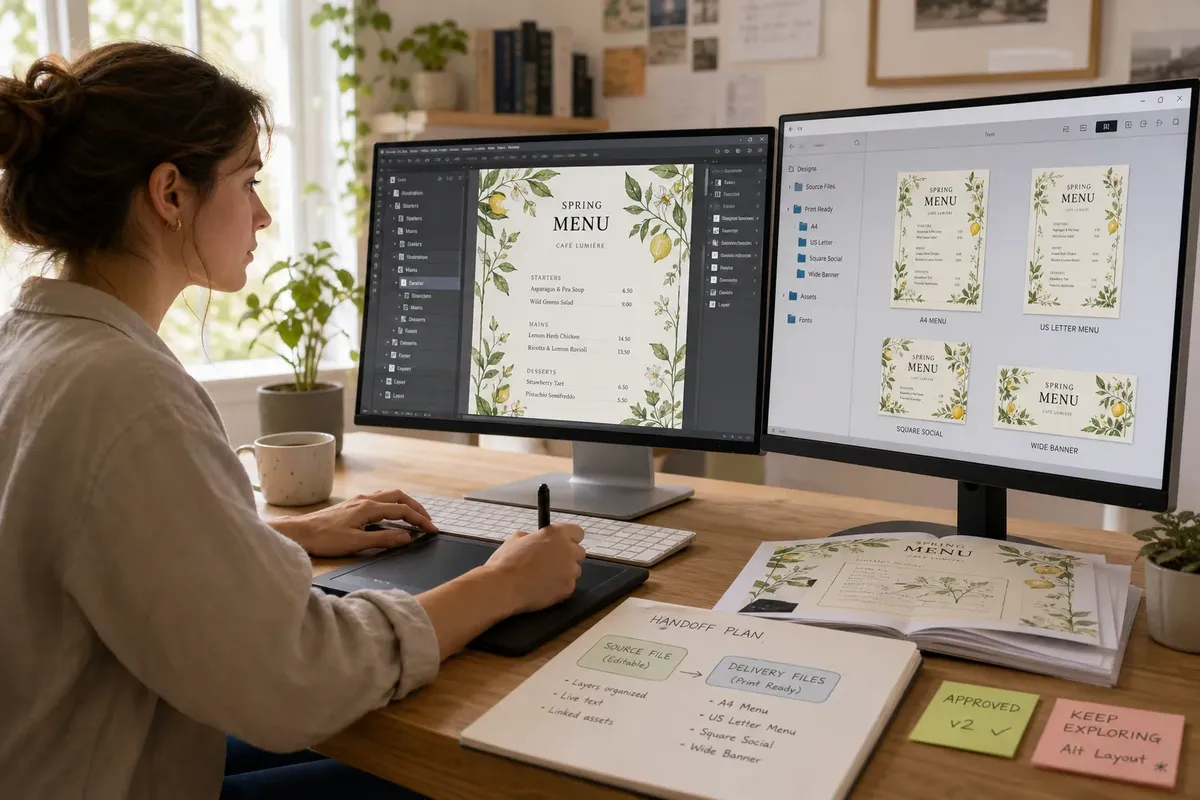
Layers or separate files can make the same design either easy to revise or awkward to hand off. In a layered document, elements sit on separate, often named layers inside one file; in a separate-file workflow, each version or component lives in its own document. The better choice depends on what is likely to change, who needs to see each option and what the next person must do with the work.
One document, many parts
A layered file keeps related elements together. In Adobe Photoshop, a poster might have separate layers for its photograph, headline, colour wash and sponsor marks. In Figma, a screen design can use frames, groups and components to keep interface elements organised within a shared canvas.
That structure makes local revisions convenient. You can hide a layer to compare the composition without deleting it, or adjust one part while leaving the others in place. The file also preserves relationships: an image remains aligned with its caption, and a button stays beside the content it belongs to.
But a layer panel can turn into a thicket. Vague names such as “Layer 12 copy” tell a collaborator little, while hidden alternatives can be mistaken for approved artwork. A single file can also become cumbersome when it contains many unrelated directions or assets.
Separate files, clear boundaries
Separate files divide work by version, format or purpose. A designer might keep a square social graphic and a wide event banner as distinct documents, even if they share a logo and colour palette. Each file can have its own layout, export settings and notes.
This separation helps when the designs will evolve independently or go to different people. A collaborator opening the banner does not need to search past the square version. It can also protect a finished direction from accidental edits while another option is still being explored.
The trade-off is duplicated material. If the event date changes, someone may need to update it in several documents. Copies can drift apart, and a change made to one version may not reach the others. Separate files are clearest when each has a distinct job, not merely because the layer panel feels crowded.
Revisions and visibility
Think about the shape of the likely changes. If a client may ask to recolour an icon, move a headline or swap a photograph, keeping those elements independently editable is useful. If they may choose between two complete compositions, separate files can make the options easier to compare and discuss.
Visibility matters as much as editability. In a layered file, name alternatives plainly and keep inactive options easy to distinguish from the selected design. In separate files, use descriptive filenames that make the version and purpose apparent, rather than relying on a vague sequence of copies.
Imagine you are making a café’s seasonal menu in Affinity Designer. The owner expects to change dish names, while the printer needs a stable version for each paper size. You could keep the text and illustrations on named layers in a working document, then save distinct print-ready files for each format; the owner can revise copy, and the printer can identify the intended output without sorting through layout alternatives.
What should stay editable?
Not every element needs to remain loose. A background texture may be settled, while a price, date or call-to-action is likely to change. Preserve editability where it serves a real revision or handoff need; avoid adding structure that makes the document harder to understand.
- Changeable text: keep copy live where wording may be revised.
- Reusable elements: use components or linked assets when the same item appears across related designs.
- Approved artwork: mark the chosen direction clearly, and keep exploratory alternatives distinct.
- Output-specific layouts: separate files when formats have genuinely different compositions or delivery requirements.
- Supporting assets: make sure linked images and fonts are available to the recipient, or provide an agreed export when editable access is unnecessary.
The right balance may be a layered source file plus separate delivery files. That is not needless duplication if each has a clear purpose: one supports future changes, while the others are ready for a particular use. Before sharing, open the files as the recipient would and check that the intended version is obvious.
Which workflow fits?
When are layers the better choice?
Layers suit work whose parts need independent adjustment within one composition. They are especially helpful when someone will revise text, images or colours without rebuilding the whole design.
When should I use separate files?
Separate files make sense for distinct formats, approved alternatives or designs maintained by different people. They reduce clutter when each document has a clear, independent purpose.
Can I use both approaches?
Yes: keep an organised, editable source and create separate files for outputs that need their own layout or delivery status. Label the relationship between them so a recipient can tell which file is the source and which is ready to use.
What should I send to a collaborator?
Send the editable document when the collaborator needs to make changes, and include the necessary linked assets or an agreed export. If they only need to review or publish the design, a suitable final export may be clearer than a working file full of options.
A useful handoff
Before choosing layers or separate files, ask what might change next and what the recipient needs to do. For a design with a few adjustable parts, a tidy layered file may be enough. For several formats or independent directions, separate documents can make selection and delivery clearer.
Keep the source’s structure legible: give layers meaningful names, distinguish drafts from approved work and avoid saving extra copies without a reason. A good editable design is not simply one that can be changed; it is one that makes the intended change easy to find without obscuring what is ready to use.